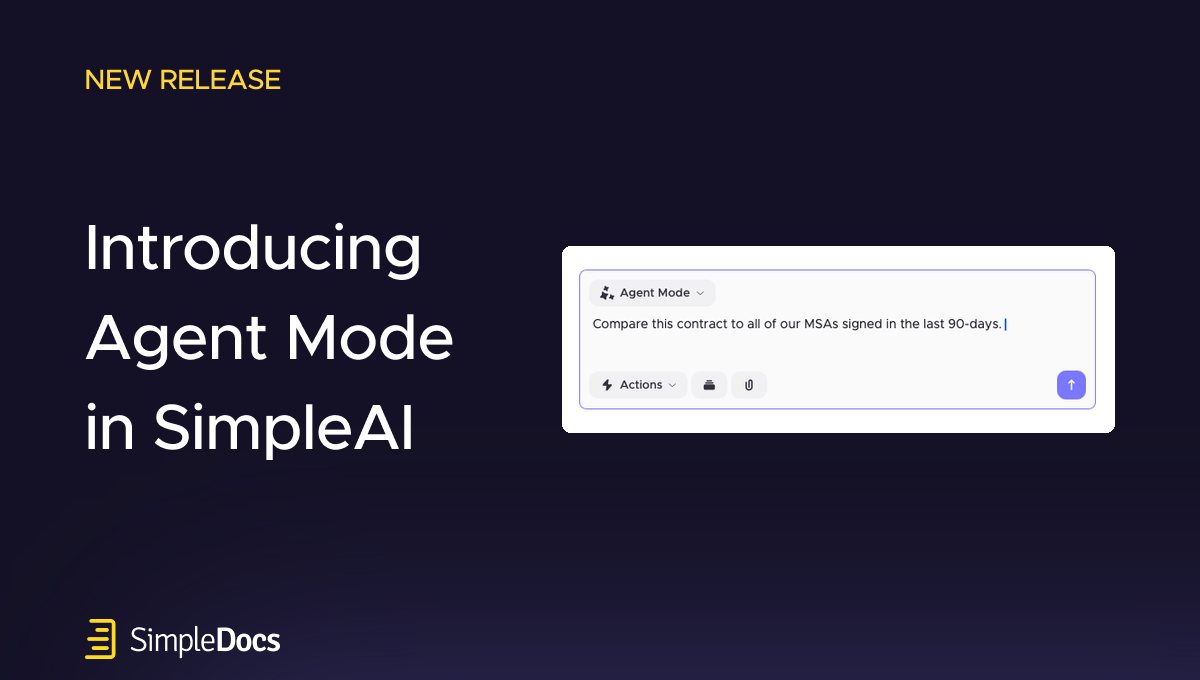
Introducing Agent Mode in SimpleAI
Legal work rarely happens in a straight line.
Reviewing a contract might involve comparing provisions against previous agreements, checking your organization's negotiation playbook, researching market standards, identifying risks, and drafting alternative language. As the work progresses, new questions emerge, new information becomes relevant, and the approach may change.
SimpleAI already provides powerful tools for each of these tasks. Today, we're introducing a fundamentally new way to bring them together.
Agent Mode transforms SimpleAI into a more intelligent, interactive legal assistant, capable of navigating across tools, data sources, and workflows to help lawyers accomplish complex legal tasks directly in Microsoft Word.
Rather than selecting individual features and managing each step independently, you can describe what you're trying to accomplish. Agent Mode can intelligently draw on your prompts, templates, precedents, negotiation playbooks, previous Risk Reviews, and Law Insider market data to support your work.
As your objectives evolve, you can explore different approaches, introduce additional context, direct further analysis, and move fluidly from research and benchmarking to drafting and redlining.
Agent Mode is now available to all SimpleAI users.
Bringing your legal AI capabilities together
Agent Mode integrates SimpleAI's existing capabilities into a more flexible and powerful experience.
Ask how your organization has handled a particular provision, and Agent Mode can search relevant precedents. Ask whether the language reflects market practice, and it can consult Law Insider's extensive contract database.
From there, you can direct it to apply your negotiation playbook, investigate findings from a Risk Review, generate alternative language, or make revisions directly in Microsoft Word.
Agent Mode can navigate between these capabilities as the task requires, using relevant information and prior analysis to inform the next step.
You can also interact with your existing configurations, including playbooks and their underlying rules, without having to navigate through separate menus or workflows.
The result is a more natural way to work with legal AI, where the technology adapts to the work rather than requiring lawyers to adapt their workflows to individual tools.
Ground your work in precedent, playbooks, and market intelligence
Agent Mode brings together different sources of legal and commercial context to support more informed analysis and drafting.
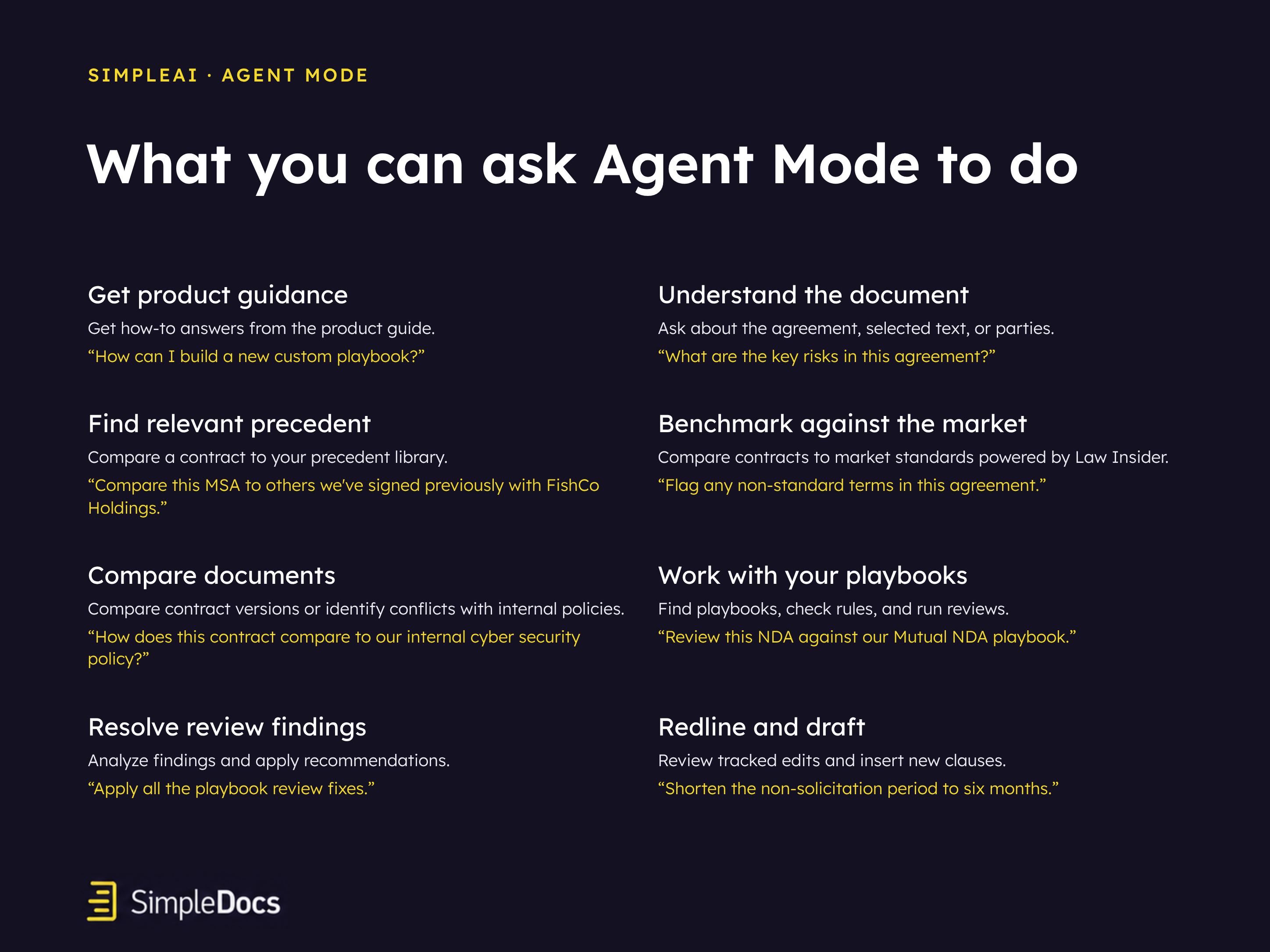
Precedent-based analysis and benchmarking. Search existing agreements and compare provisions against previously negotiated language. Understand how similar issues have been handled before and use that history to inform new drafting decisions.
“Compare the indemnification in this NDA with our precedent contracts.”
Negotiation playbooks. Access existing playbooks, examine their rules and instructions, and apply your organization's preferred positions and fallback language. Initiate playbook reviews and work through their findings.
“Check this NDA against our Custom NDA playbook and list which rules it does not meet.”
Risk Review. Explore findings from previous reviews, identify outstanding issues, investigate specific risks, and generate revisions that address them.
“What are the open issues from the risk review?” followed by “Fix the limitation of liability issue.”
Market Intelligence by Law Insider. Research how provisions are drafted across real-world agreements using Law Insider's extensive contract database. Benchmark language against market precedent, identify unusual provisions, and evaluate alternative drafting approaches.
“Is the indemnification clause in this NDA market standard?” or “Show me how other contracts phrase a mutual indemnity.”
Templates and reference documents. Use existing documents and templates to guide drafting, compare language, and adapt provisions to match preferred structure, terminology, or drafting style. Compare an attached counterparty draft or apply an attached style guide.
“Compare this NDA with the attached counterparty draft. What did they change?”
Redlining and drafting. Generate proposed tracked edits that you can apply or dismiss, individually or together, and draft new clauses ready to insert into your document.
“Shorten the non-solicitation period to six months” or “Add a force majeure clause that follows our Custom NDA playbook.”
Prompts and instructions. Provide natural-language instructions to guide analysis, drafting, and review. Refine your instructions as the work progresses, without having to restart the process or switch between features.
“Now revise that clause to follow the attached style guide.”
Each of these capabilities is powerful independently. Agent Mode makes them more valuable by enabling them to work together.
From research and benchmarking to redlines and drafting
Agent Mode goes beyond answering questions or identifying issues. It helps lawyers turn analysis into substantive legal work.
Consider a limitation of liability provision in a commercial agreement.
You might start by asking SimpleAI:
“How does this provision compare to similar agreements we've negotiated?”
After reviewing the results, you could ask:
“Now benchmark it against market practice using Law Insider.”
Then:
“Check our negotiation playbook and identify any departures from our preferred positions.”
And finally:
“Draft a revised provision consistent with our playbook and apply the suggested redline.”
Agent Mode can navigate the relevant capabilities and information sources to support each step.
Throughout the process, you can provide additional instructions, introduce new context, explore alternatives, and refine the proposed changes.
The same approach applies across a range of contracting tasks, from comparing documents and resolving outstanding review findings to drafting new provisions and adapting language to an organization's established style.
Rather than treating research, analysis, review, and drafting as separate activities, Agent Mode allows lawyers to move fluidly between them.
A more interactive and adaptive legal AI experience
Agent Mode is more than a new chat interface.
It understands the tools and capabilities available within SimpleAI and can determine how to use them based on your instructions.
It can navigate existing playbooks, access prior reviews, consult relevant information sources, and help you work across the features and configurations that support your legal processes.
This creates a more interactive experience in which lawyers can guide the work as it develops.
You can change direction, provide additional instructions, evaluate alternative approaches, and review suggested changes before applying them to your documents.
And because Agent Mode operates directly within Microsoft Word, you can move between analysis and editing without leaving the document you're working on.
The result is a more fluid, intelligent, and adaptable way to work with legal AI.
The next evolution of SimpleAI
Agent Mode represents an important step in our vision for SimpleAI.
Over the past year, we've introduced increasingly sophisticated capabilities for contract review, playbook automation, market benchmarking, precedent analysis, and AI-assisted drafting.
Agent Mode brings those capabilities together.
Instead of requiring lawyers to choose between individual tools, SimpleAI can now help coordinate them, drawing on the right sources and capabilities as the work evolves.
This is how we believe legal AI should work: combining specialized legal intelligence with the flexibility to support complex, real-world legal workflows.
Available now to all SimpleAI users
Agent Mode is now available to all SimpleAI users directly within Microsoft Word.
Whether you're benchmarking contractual language against precedent, applying negotiation playbooks, investigating risks, or drafting new provisions, Agent Mode makes it easier to use the full power of SimpleAI.
Open SimpleAI, select Agent Mode, and get started.
Learn more about SimpleAI: simpledocs.com/simpleai.